
- Press the options Key
- Go to “Phone Status“
- Select “IP& Mac Address“
- Write down the Ip address shown
- Open up firefox or other web browser
- In the address bar of the web browser enter “http://IPADDRESS_OF_PHONE“
- When prompted for username/password enter “admin” with password “22222“
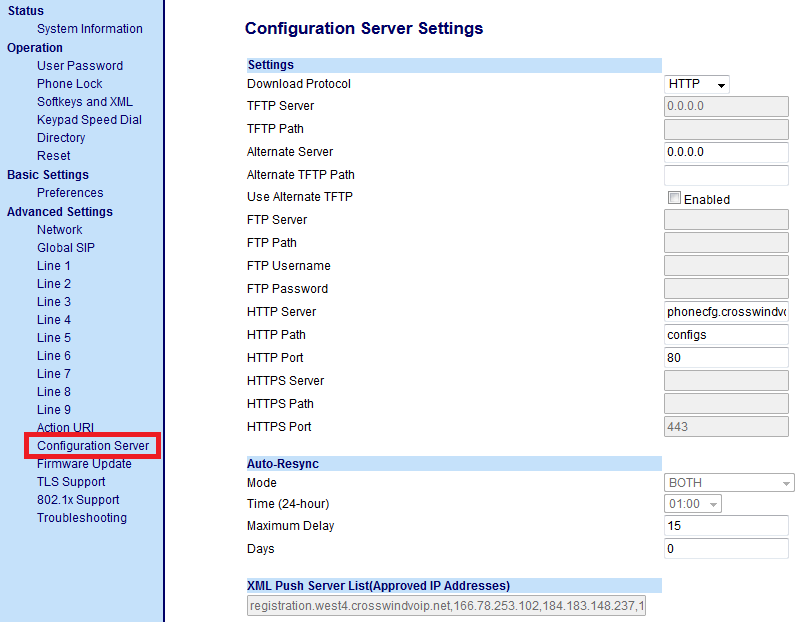
- Once logged in navigate to “Configuration Server”

- Set “Download Protocol” to “HTTP“
- Set “HTTP Server” to “phonecfg.crosswindvoip.net“
- Set “HTTP Path” to “configs“
- Save the settings
- Click “Rest”


Once completed and the phone has restarted it should come up configured based on its MacAddress.